
Python Library Overview
Key Benefits
- ⚡ Blazing fast - No network latency, instant queries from local database
- 🚫 No rate limits - Run unlimited queries without throttling
- 💾 Offline access - Works completely offline after initial download
- 🔧 Simple integration - Simple and user-friendly interface handles all complexity
Two Modes of Operation
📦 Package Mode
Use as a Python package
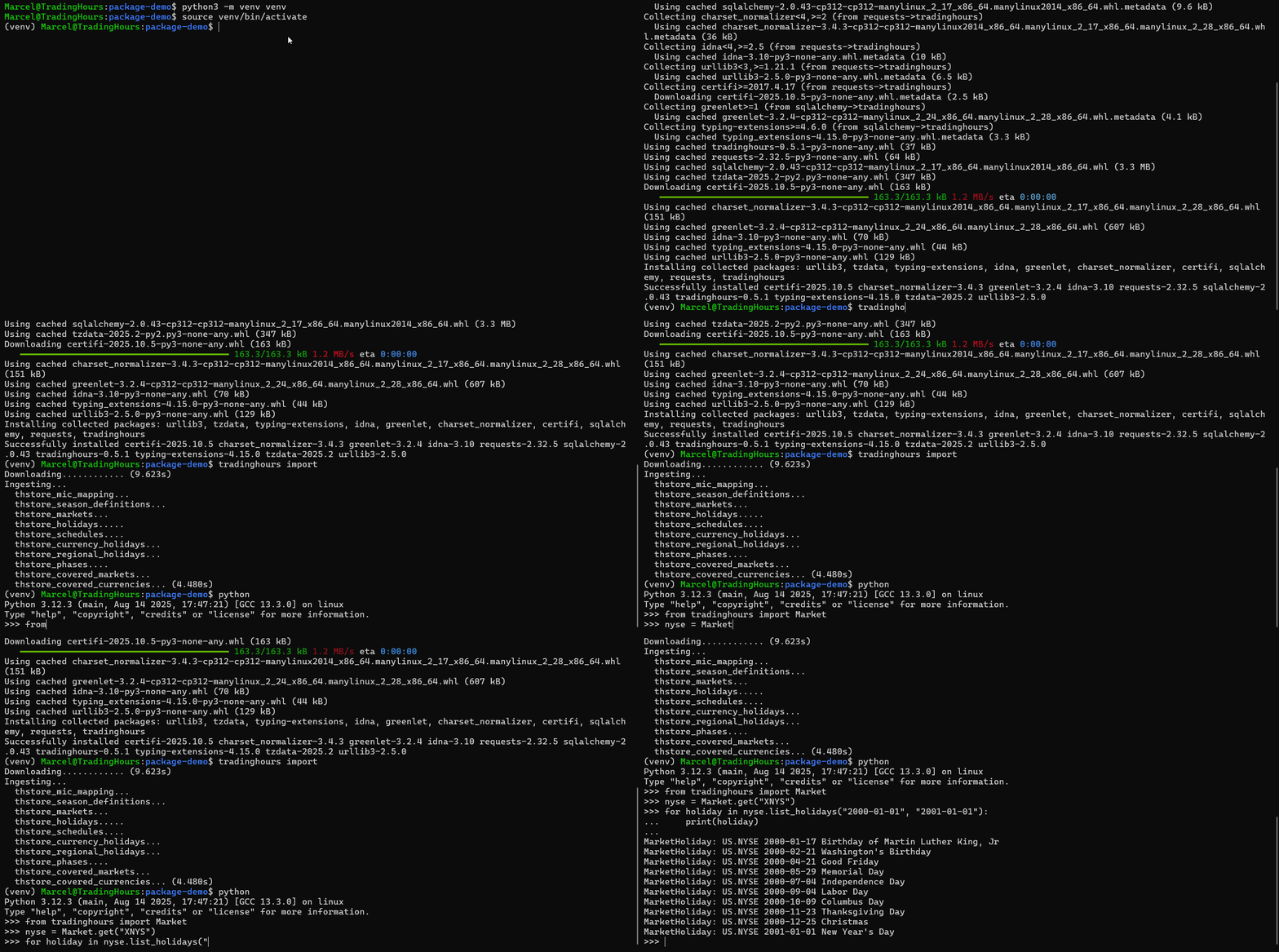
pip install tradinghours
tradinghours importfrom tradinghours import Market
Market.get('US.NYSE')Perfect for:
- Python applications & scripts
- Data analysis & backtesting
- Trading algorithms
🚀 Server Mode
Run as REST API server
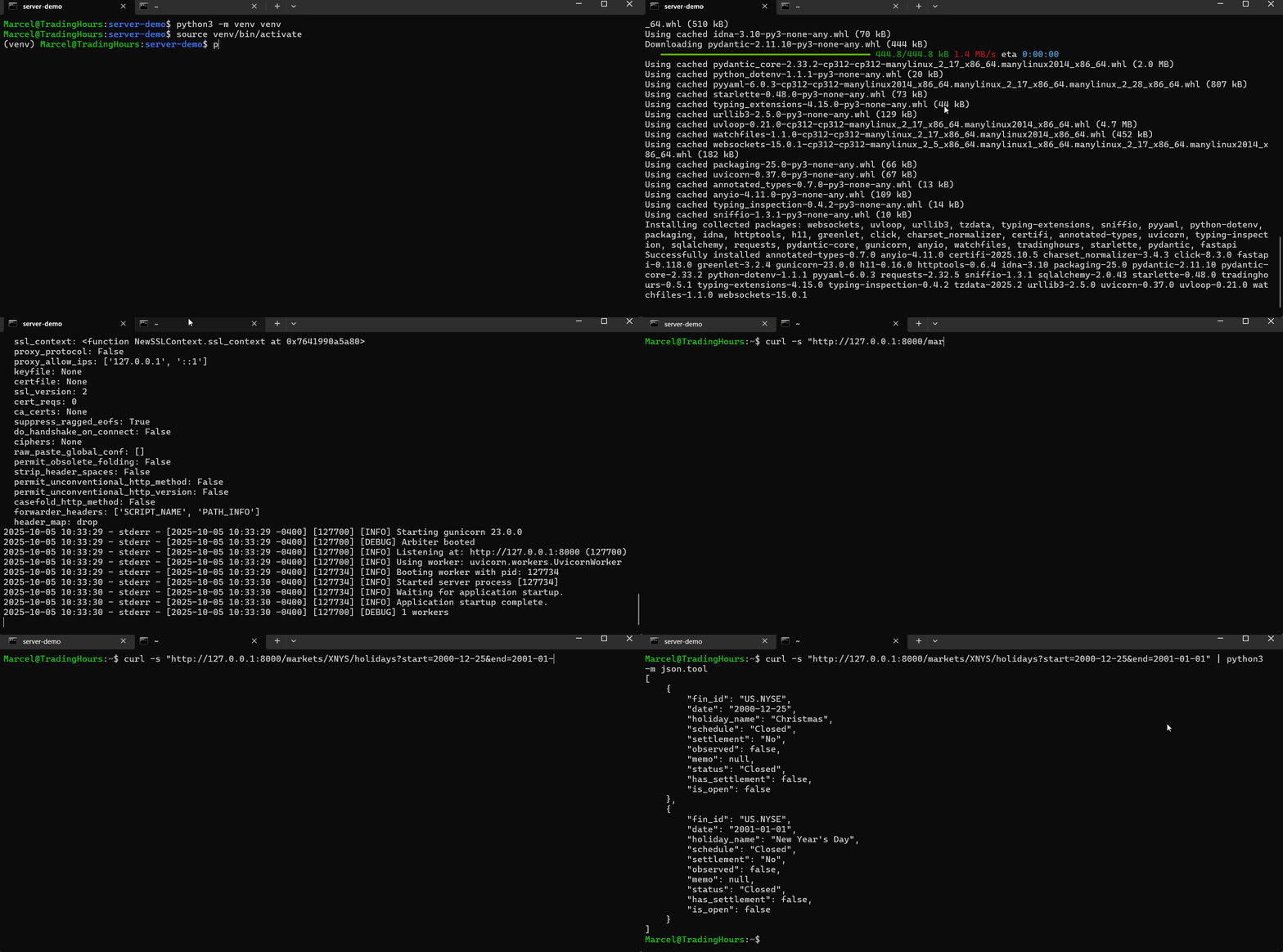
pip install tradinghours[server]
tradinghours serve>> curl http://127.0.0.1:8000/markets/US.NYSE
{"fin_id":"US.NYSE","exchange_name":"New York...Perfect for:
- Microservice and multi-language infrastructure
- Low latency and no rate limits
- Fully private and on-premise hosting
Requirements
- Python: 3.9 or higher
- Subscription: Active TradingHours.com subscription (get a quote)
- API Token: Available from your account page
Advanced
Optional Advanced Configuration
Configuration can be changed by creating a tradinghours.ini file in the current directory.
These are possible and optional values. The [data] configuration applies to both modes and configures the source for tradinghours import, which is what the auto-import feature of the server-mode uses in the background. Please see the server mode for more details.
[data]
token = YOUR-TOKEN
source = https://api.tradinghours.com/v4/download

[server-mode]
auto_import_frequency = 360 # in minutes; set to 0 to disable auto-import
allowed_hosts = *
allowed_origins = *
log_folder = tradinghours_server_logs
log_level = DEBUG
log_days_to_keep = 7

[extra]
check_tzdata = True
Data Sources
By default, the library downloads data from the TradingHours.com API. However, you can configure alternative data sources to suit your infrastructure needs.
Supported Data Sources
The source configuration option supports multiple formats:
1. Default API (HTTPS)
[data]
token = YOUR-TOKEN
source = https://api.tradinghours.com/v4/download- Uses your API token automatically
- Efficient ETag-based change detection
- Downloads latest data from TradingHours.com
- This is the default if not specified
2. Custom HTTPS Endpoint
[data]
token = OPTIONAL-TOKEN-FOR-YOUR-SERVER
source = https://example.com/data.zip- Token can be set to be used as a Bearer token in the Authorization header
- Uses ETag headers for change detection with a HEAD request
- Falls back to always downloading if headers unavailable
- Useful for custom data distribution servers
3. Local File
[data]
source = file:///absolute/path/to/data.zip- Uses modification time (mtime) for change detection
- Works cross-platform (Windows/Unix)
- Useful for offline development
- Must be an absolute path
4. S3 Bucket
[data]
source = s3://bucket/key/data.zip- Requires boto3:
pip install tradinghours[s3] - Uses S3 ETag for change detection with a HEAD request
- AWS credentials need to be set up following the AWS documentation
Change Detection
The library automatically detects data changes using different mechanisms based on the source type:
- HTTP/HTTPS sources: Uses ETag from the response of a HEAD request
- S3 sources: Uses S3 ETag from the response of a HEAD request
- Local files: Uses file modification time (mtime)
Sources Without ETag Support
If your data source does not support ETag headers, the library will download data and ingest it on every import. If you are using the server-mode, which periodically runs the import in the background, this may cause many redundant imports. To avoid this, set the auto_import_frequency to an appropriate value. See the server mode configuration for details.
For server mode specific configuration instructions, see:
Time Zones
This package employs zoneinfo for timezone management, utilizing the IANA Time Zone Database, which is routinely updated. In certain environments, it's essential to update the tzdata package accordingly. tradinghours automatically checks your tzdata version against PyPI via HTTP request, issuing a warning if an update is needed.
To update tzdata run this command: pip install tzdata --upgrade
To disable this verification and prevent the request, add this section to your tradinghours.ini file:
[extra]
check_tzdata = False
Support & Resources
- GitHub Repository - Source code
- Issue Tracker - Bug reports & feature requests
- PyPI Package - Package downloads
- Contact Support - Get help from our team